
Embracing the Teaching Process
Adapting a core feature to how educators already work — with half a team and no research budget.
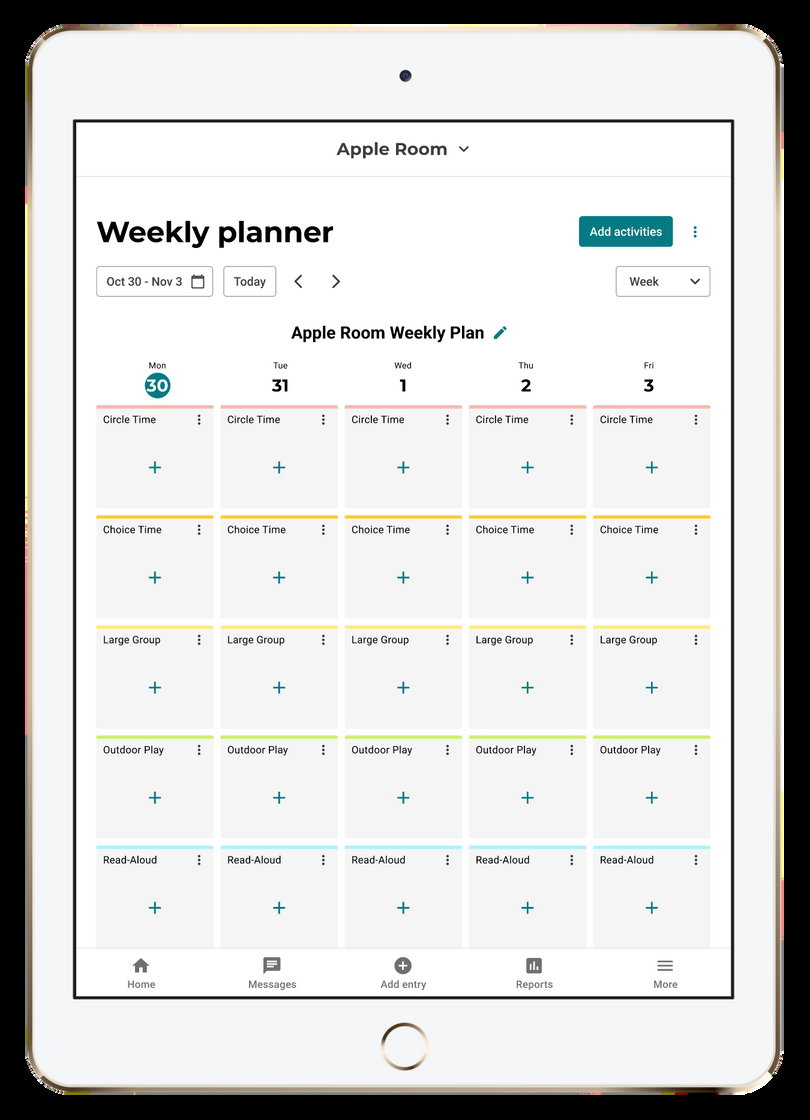
Lillio is a childcare management platform serving early childhood educators. The Lesson Planner is one of its core features, supporting teachers through the middle steps of their planning process: researching relevant activities, organizing them into a plan and preparing materials before stepping into the classroom.
The Problem
Two versions of the planner already shipped — V2 launched in 2023 as a visual improvement over the original but adoption was low. I was already working on a team focused on driving educator adoption when I was brought in to uncover why teachers weren't using it and provide a viable path forward.
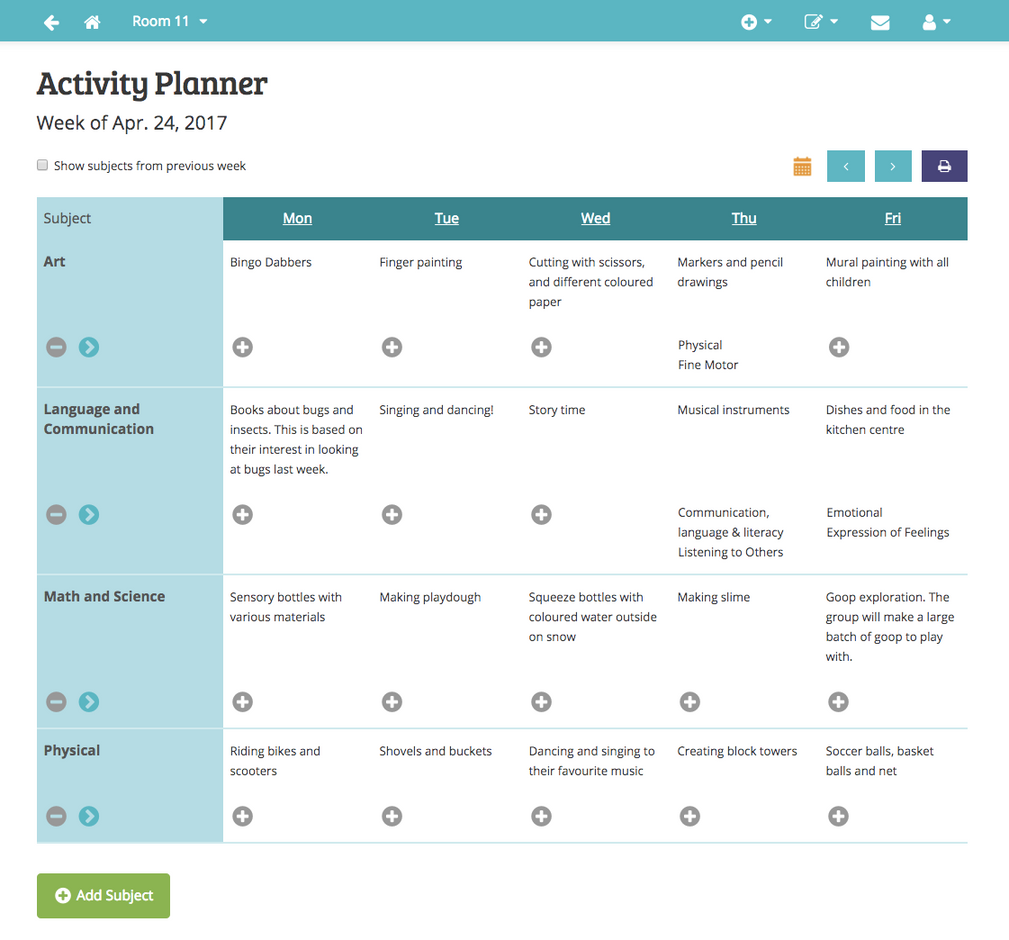
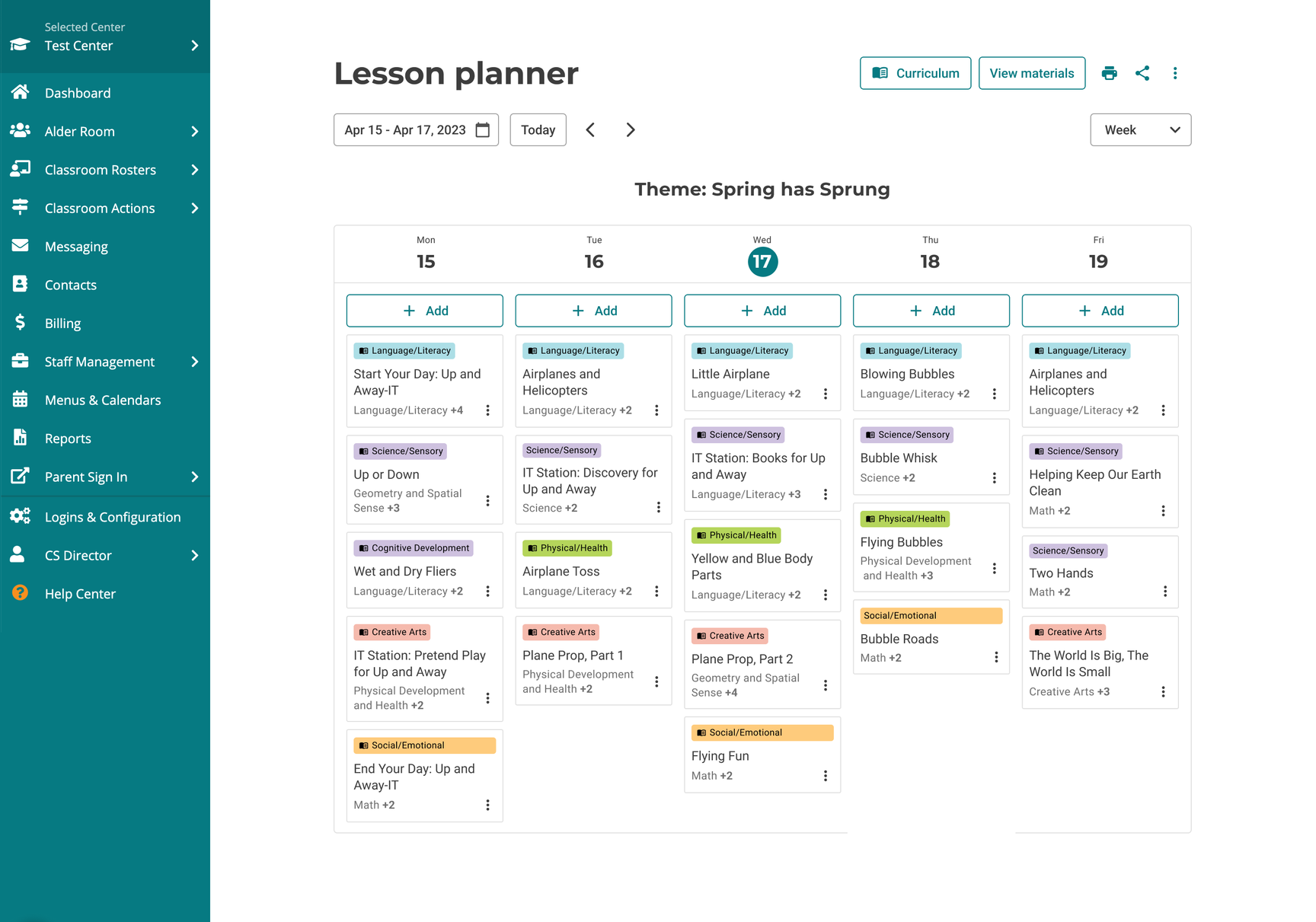
I inherited the project with no proper handoff, a team where most of the people who held domain knowledge had already moved on and a pile of artifacts as my primary source of context. It wasn't the most ideal starting point but that's just reality sometimes.
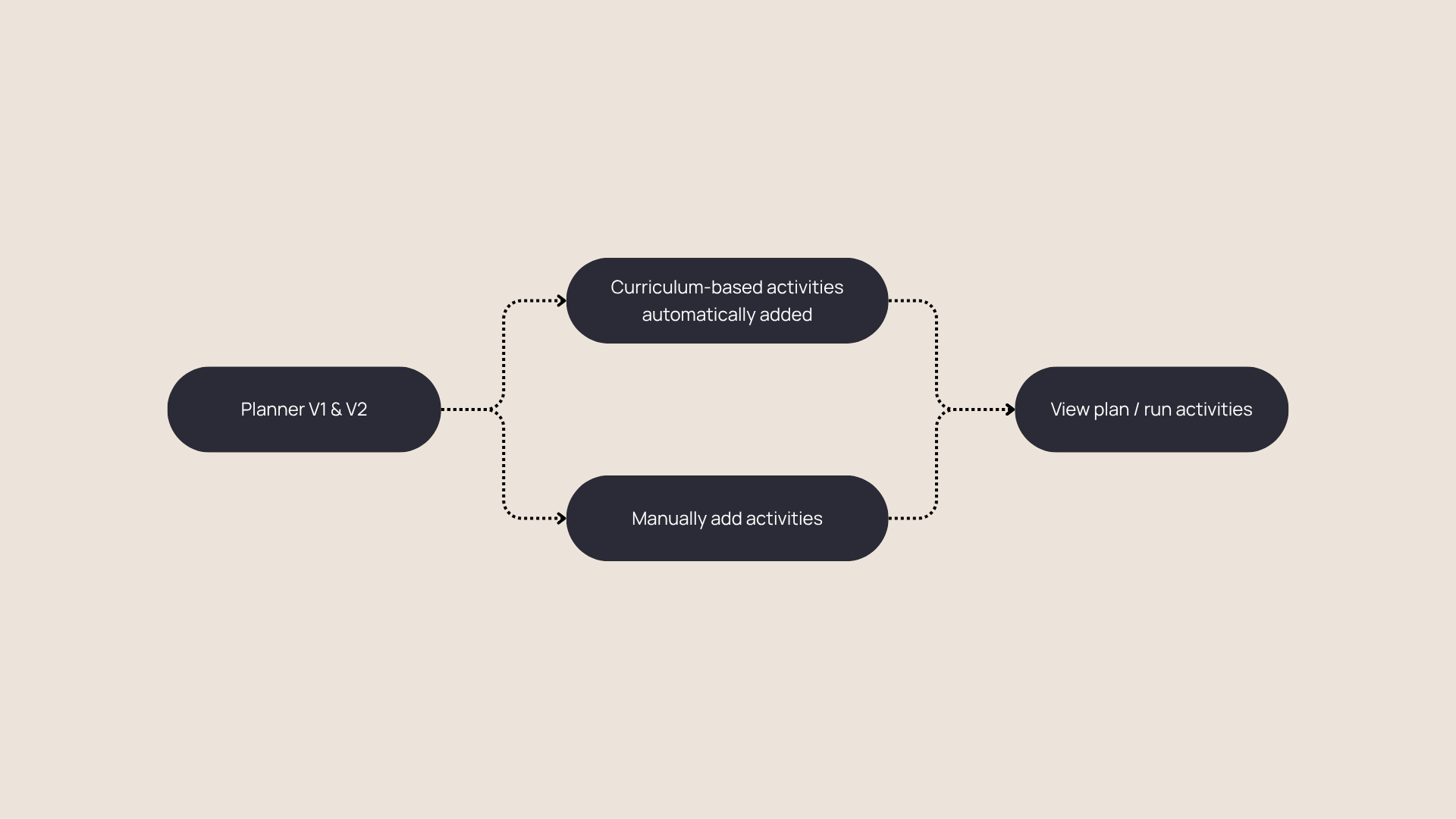
Despite the improvements in V2, the planning experience was fundamentally the same as V1. The structure and format were too rigid. And the functions were basic. Setting new lesson plans required a lot of repetitive effort. It didn't reflect how educators actually plan their lessons.
Redefining the Workflow
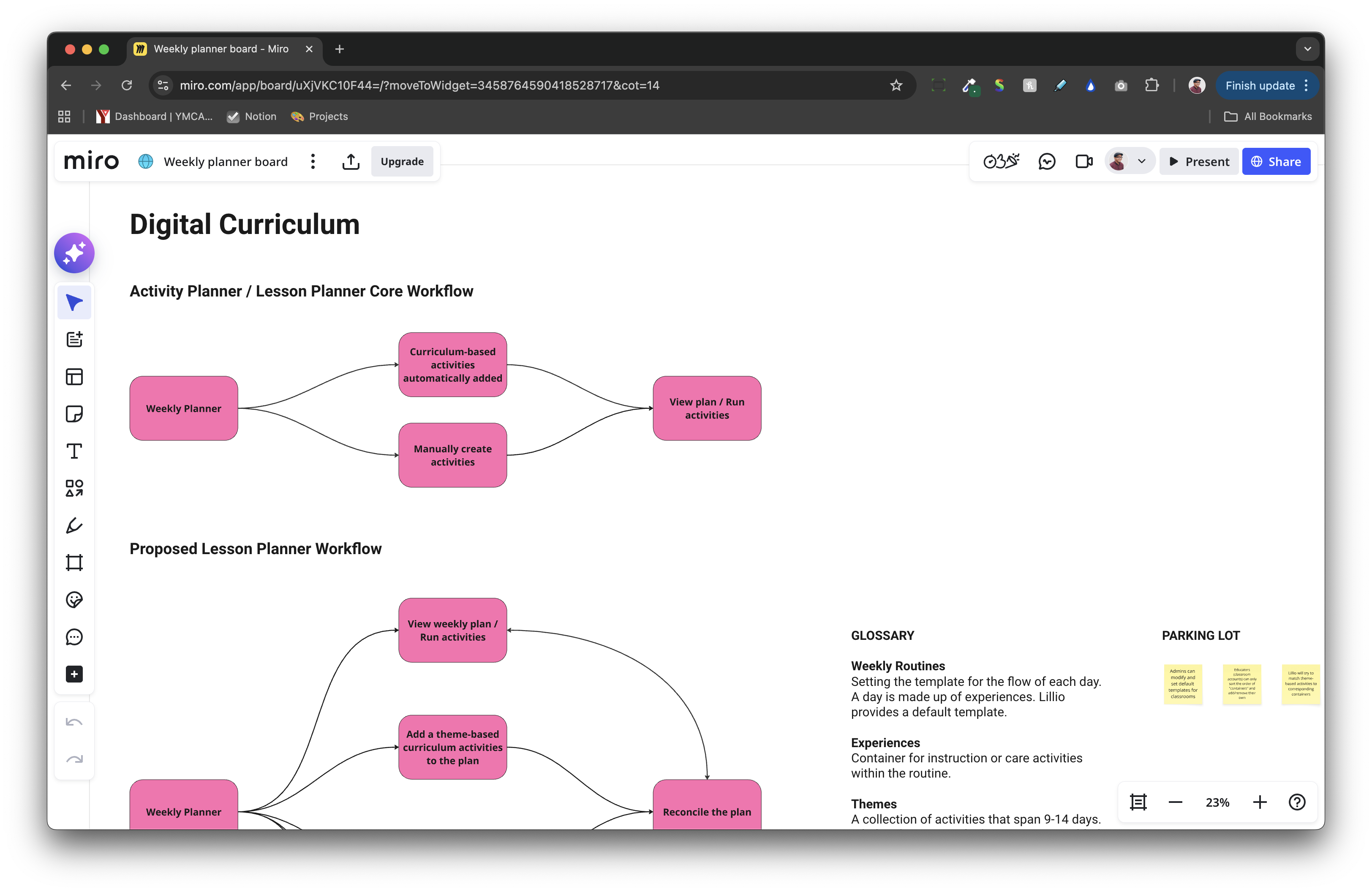
I started by mapping out the teaching process and identifying where the planner fits into it. It turned out to be personal, non-linear and often built around reusable routines they've developed over time. Most educators were still using physical planners. The digital version wasn't giving them enough reason to switch.
The V1 and V2 approach gave educators basic and rigid paths. The updated V3 workflow opened this up significantly. Educators could now create a plan their own way.
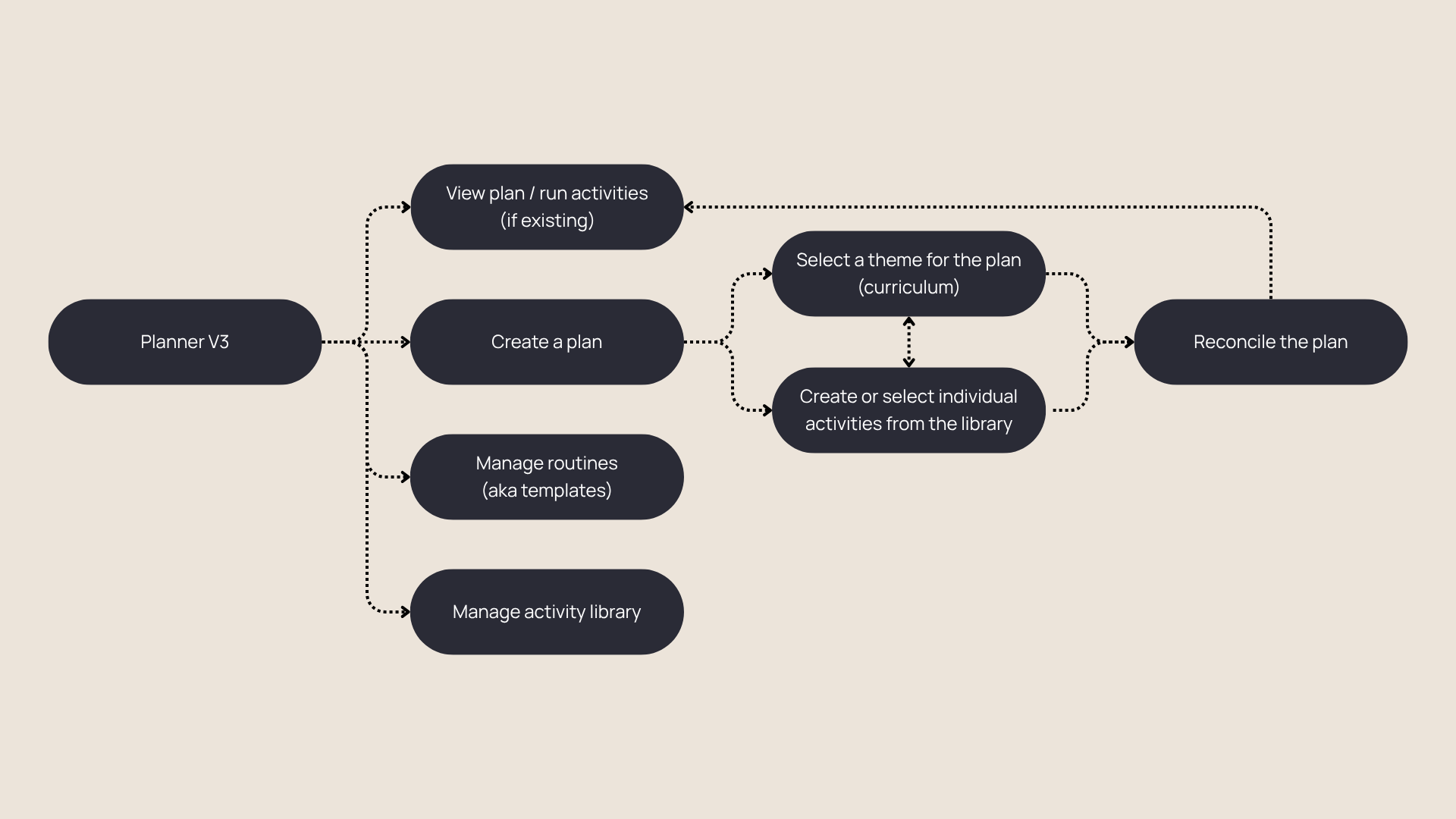
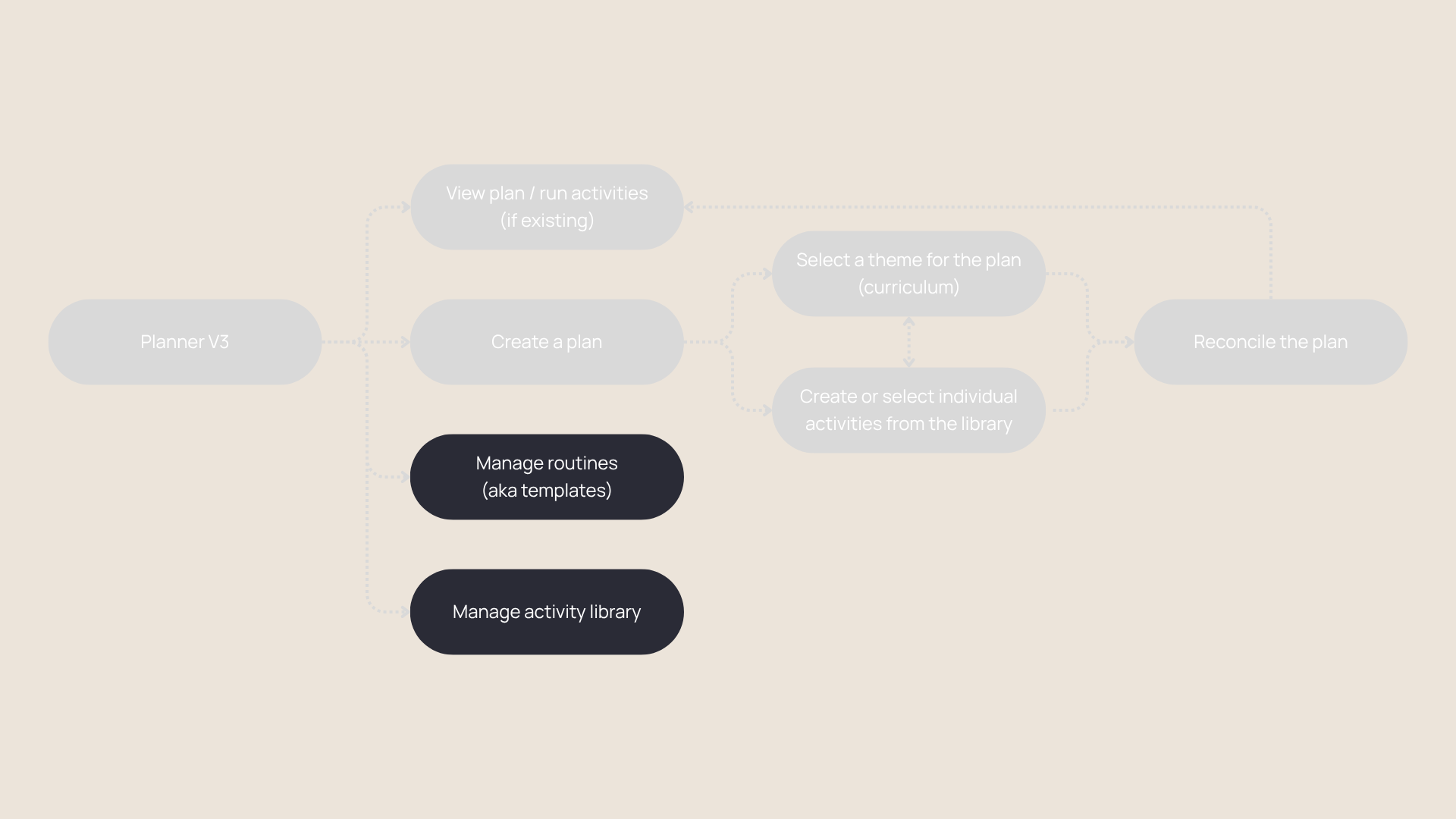
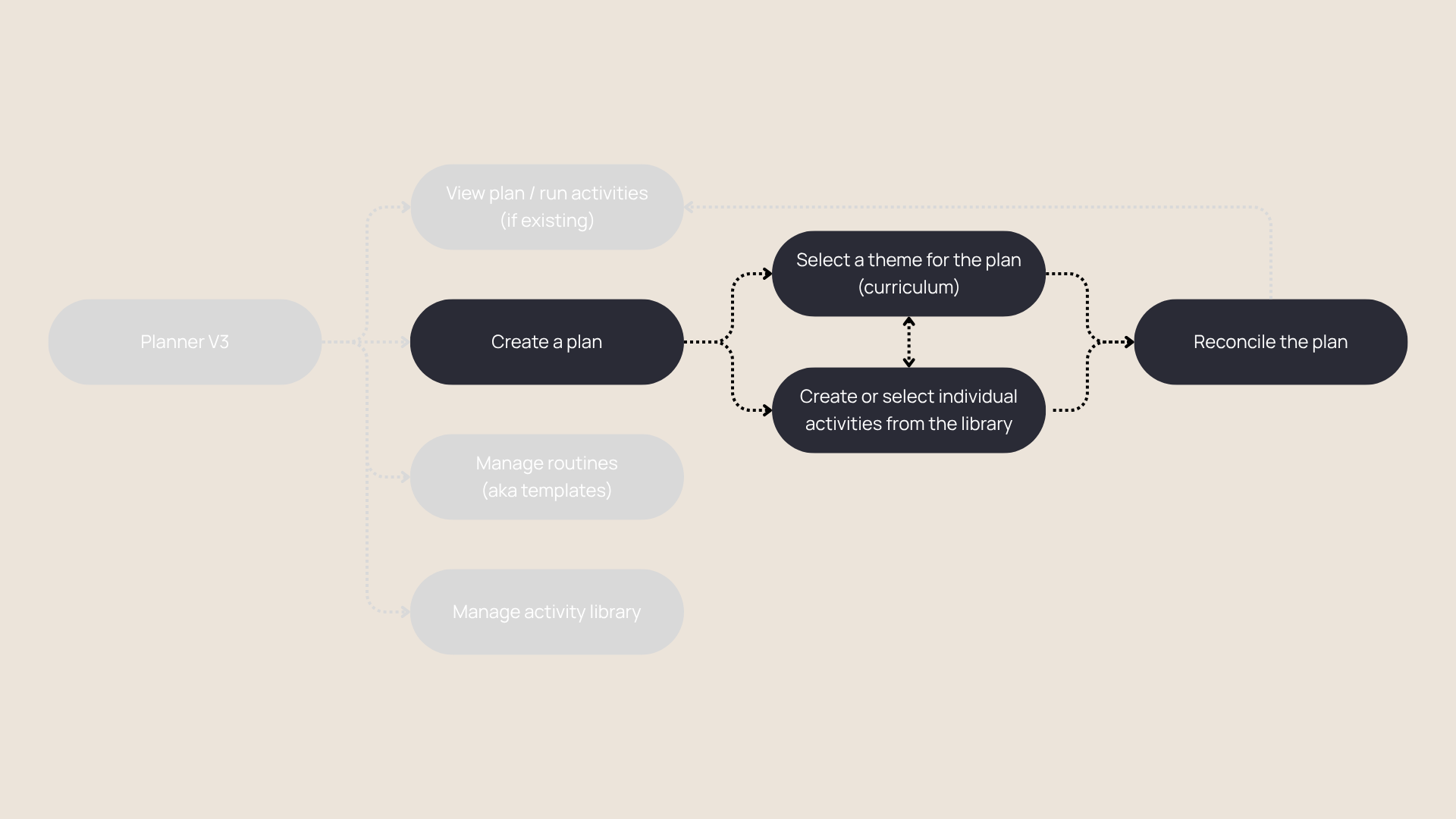
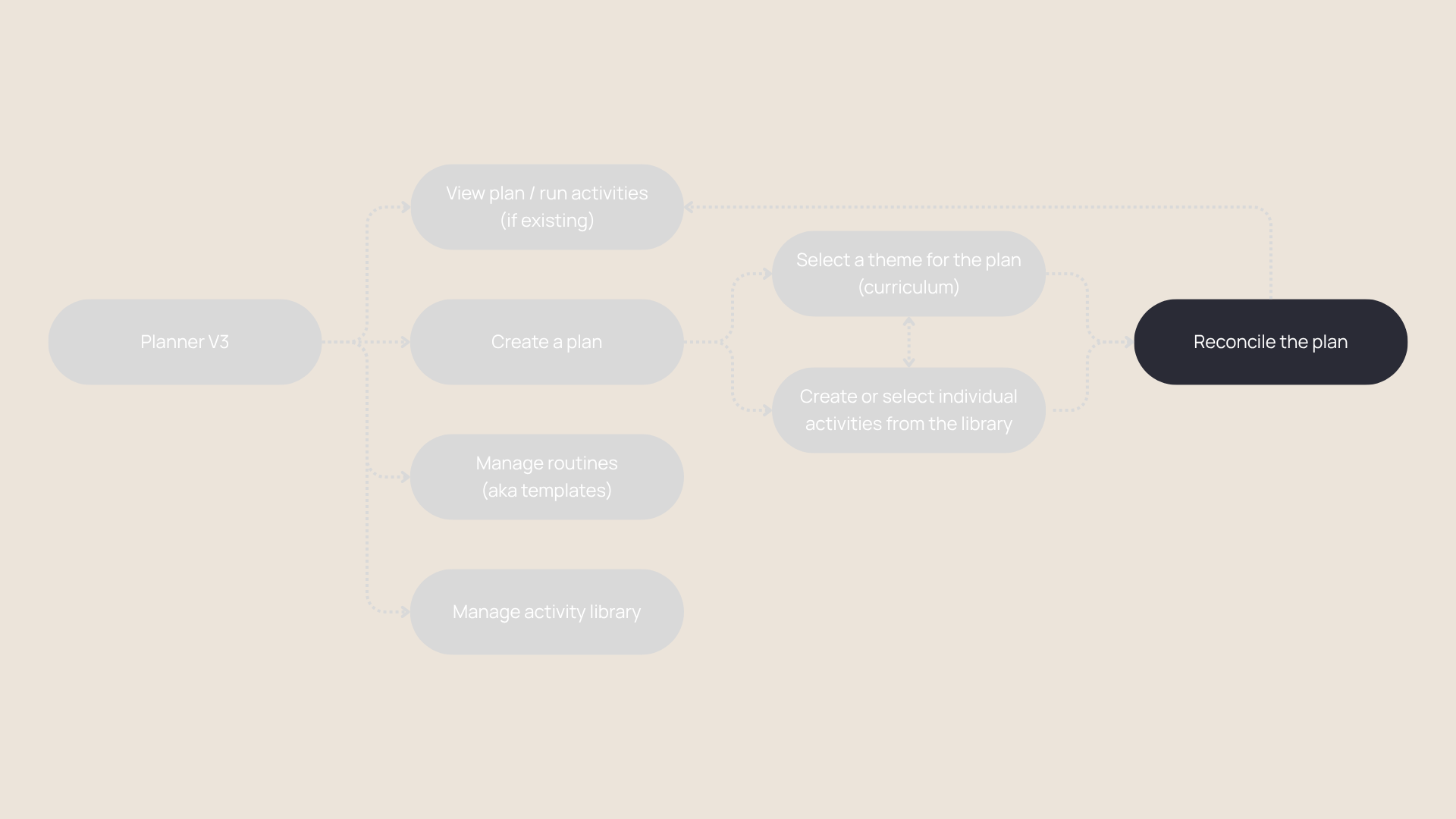
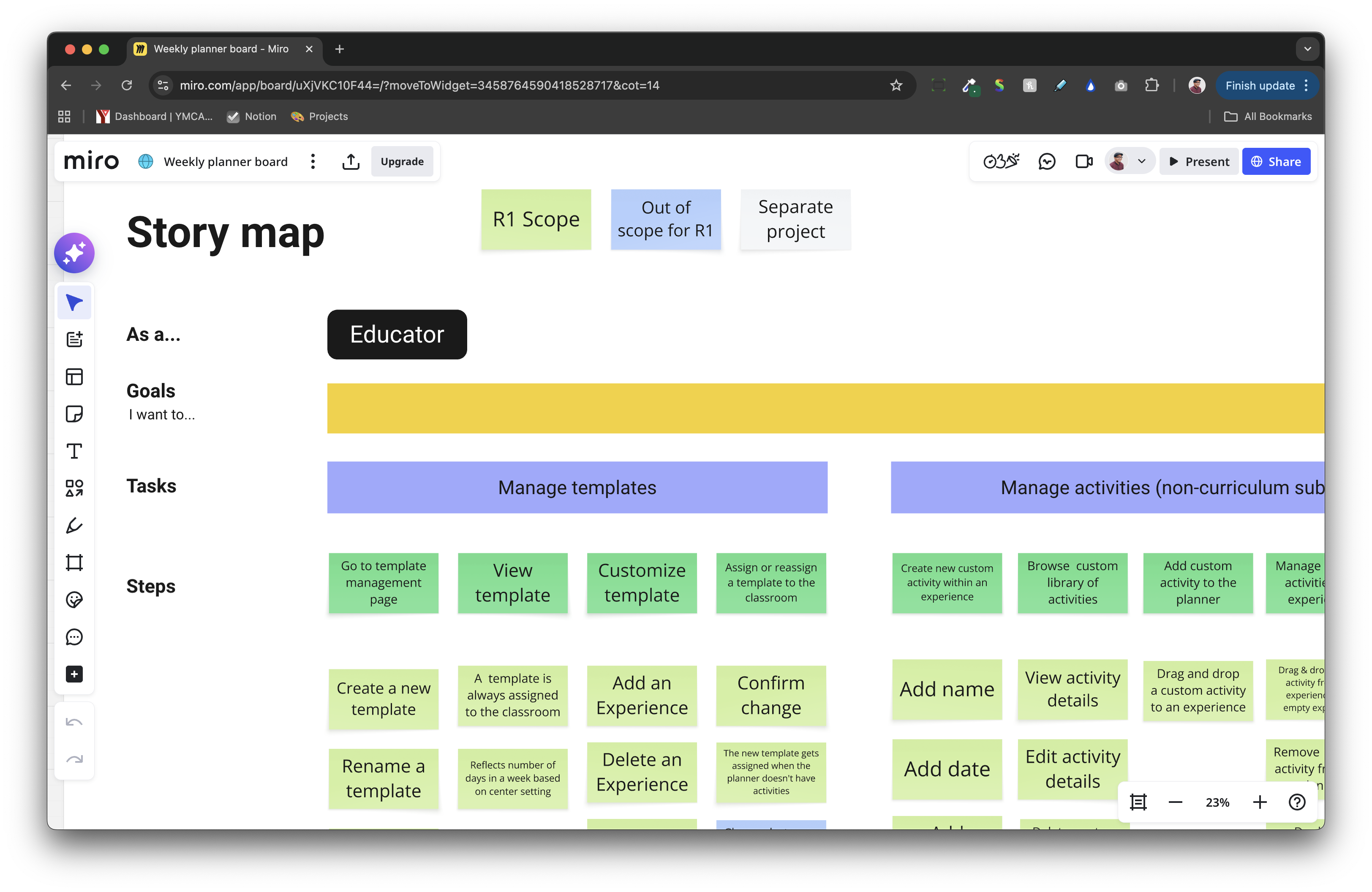
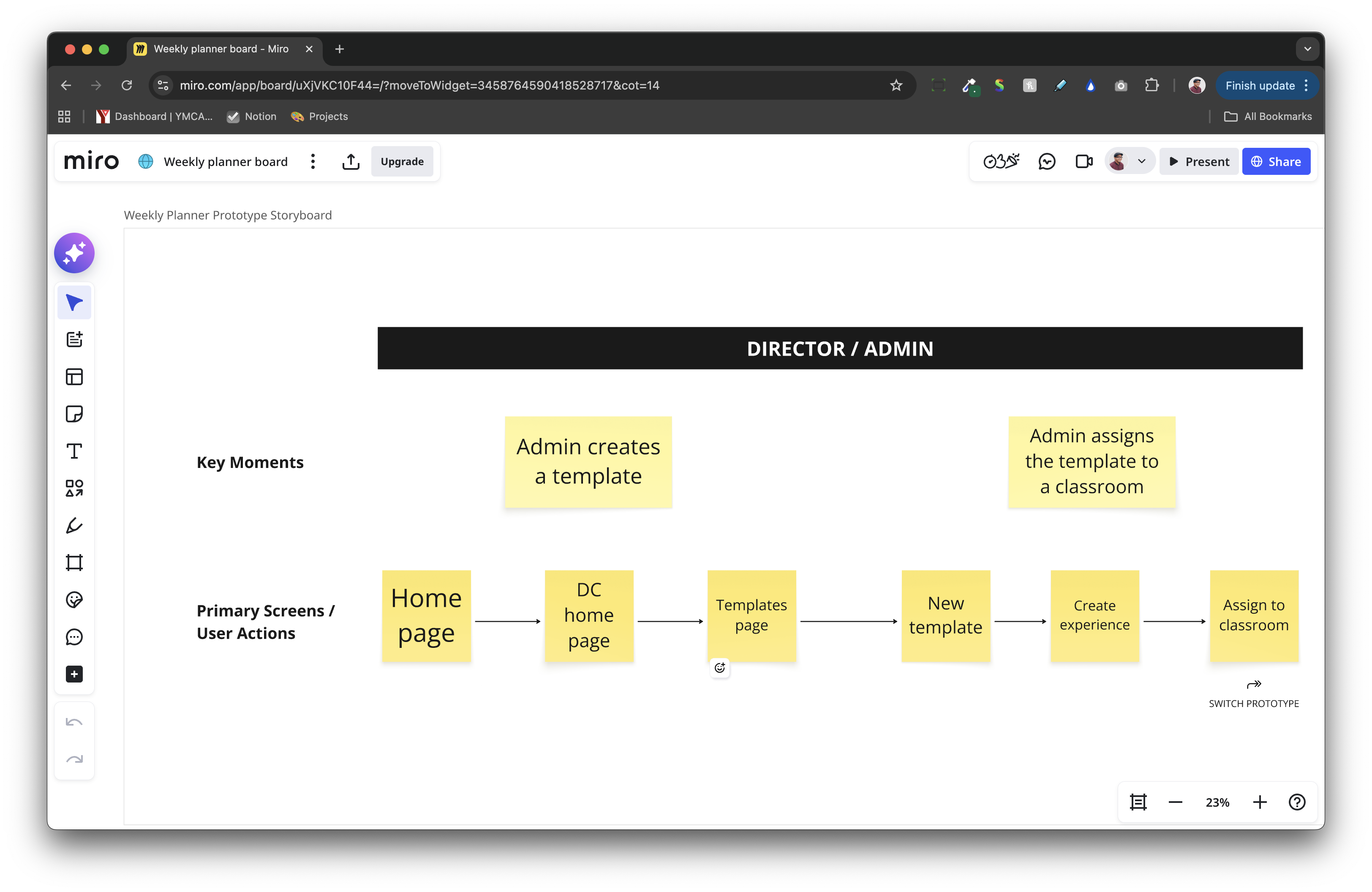
I broke the exploration into two tracks — template (routines) and planner (the weekly view) — iterating with the team through a mix of synchronous working sessions and asynchronous feedback in Miro. Story mapping with the PM kept us in scope and the team aligned going into visual design.
Getting Feedback
There was no budget for formal research. I pulled from the V2 beta program feedback, leaned on in-house experts for domain knowledge and took one opportunistic shot at real user feedback.
Lillio had a booth at the NAEYC conference — an annual gathering of early childhood educators. I built a self-guided wireframe prototype robust enough to run on tablets without facilitation. Feedback was casual and unstructured but the signal was consistent: educators responded well to the flexibility, and that was enough to get buy-in and move forward with confidence.
Delivery
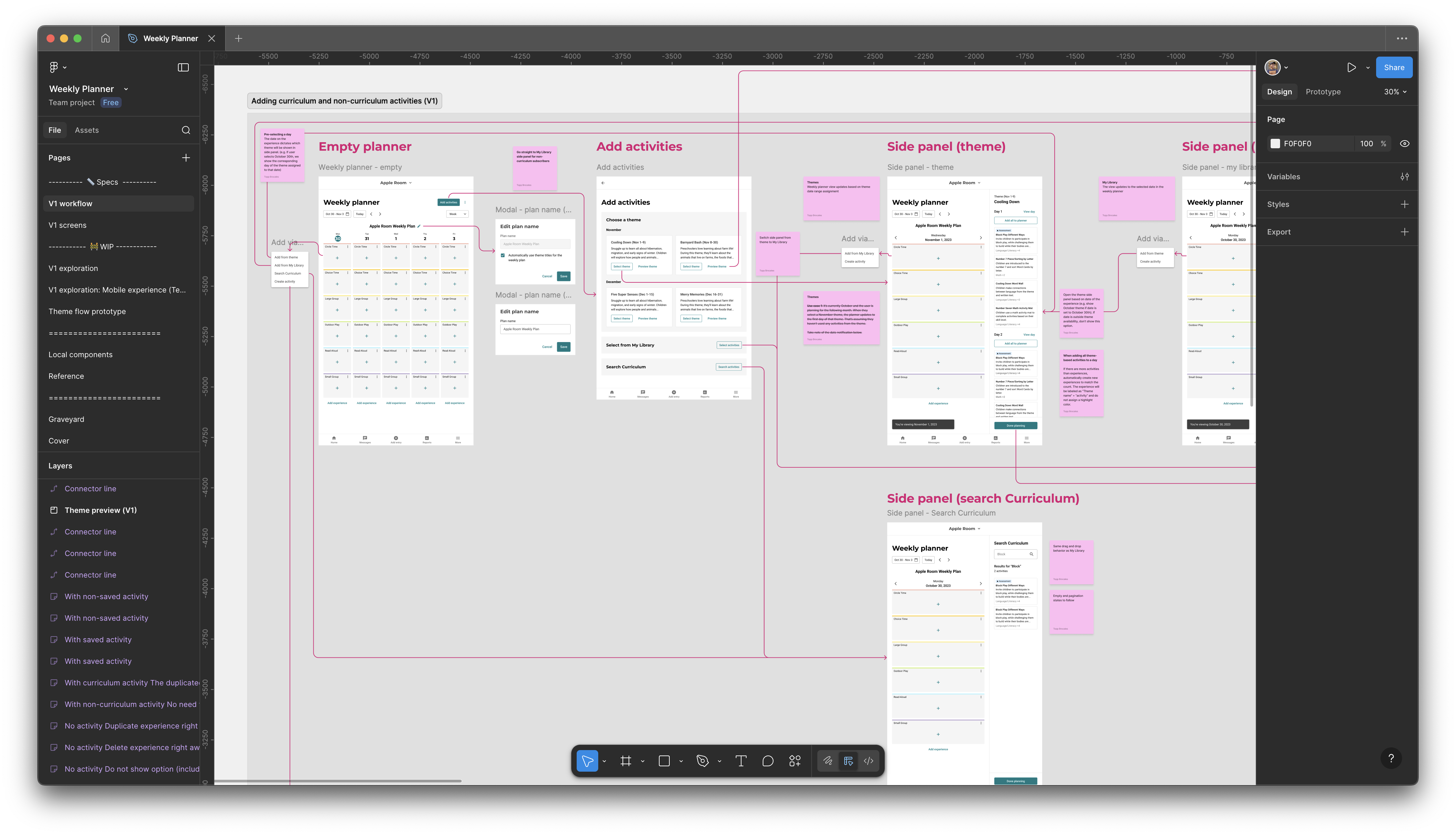
The project covered web and native apps across all states, with a dedicated workflow visualization page that served as the team's source of truth. Each Figma section mapped to a Jira epic and linked directly to corresponding tickets. Local components were shared across exploration, workflow and spec pages to keep things consistent throughout.
Despite the odds, I shipped all design requirements for the R1 (first release) on time. Planner V3 launched in July 2024, just in time for back-to-school. It's a more flexible, fully capable planning tool that still felt simple to use.